Networking Explained: How Modern Devices Connect and Communicate

Introduction
Networking is one of the most important foundations of modern technology. Every time a person sends a message, watches an online video, accesses a website, joins a virtual meeting, transfers a file, or connects a smart device, some form of networking is involved.
At its simplest, networking allows computers, phones, servers, and other devices to communicate and share information. Behind this everyday convenience is a combination of hardware, software, communication rules, and infrastructure that allows data to travel from one location to another.
Understanding networking does not require advanced technical knowledge. Learning the basic concepts can help students, professionals, business owners, and everyday users understand how digital communication works and how to build more reliable connected environments.
What Is Networking?
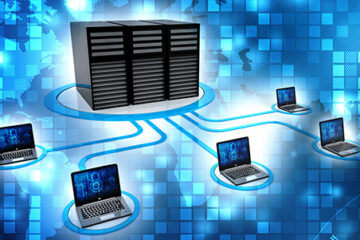
Networking is the process of connecting two or more computing devices so they can communicate and share resources.
A network may connect devices in a small home, an office building, a school, a data center, or across different countries.
For example, when a laptop connects to a home Wi-Fi router and accesses a website, the laptop is participating in a network. The router helps direct communication between the local device and external networks.
A network can support activities such as:
- Sharing files
- Accessing the internet
- Sharing printers
- Communicating between employees
- Running business applications
- Connecting smart devices
- Accessing shared storage
- Supporting online services
Why Is Networking Important?
Modern organizations and individuals depend heavily on connected technology.
Communication
Networking makes digital communication possible. Emails, messaging services, video meetings, and online collaboration all rely on connected systems.
Resource Sharing
Several users can access shared printers, storage systems, applications, and other resources through a network.
Centralized Information
Businesses can store information on centralized servers and allow authorized employees to access it from different computers.
Remote Access
Networking enables employees and users to access systems from different locations when appropriate security and connectivity are available.
Business Operations
Modern businesses often depend on networks for sales systems, customer records, communication, financial applications, inventory management, and cloud services.
Main Types of Networks
Networks can be classified according to their size, purpose, and geographical coverage.
Local Area Network
A Local Area Network, commonly called a LAN, connects devices within a limited area such as a home, classroom, office, or building.
For example, a small office may have computers, printers, phones, and other devices connected through the same local network.
Wide Area Network
A Wide Area Network, or WAN, connects networks across larger geographical areas.
The internet is the most familiar example of a massive interconnected network. Businesses may also use wide-area connections to connect offices located in different cities or countries.
Wireless Local Area Network
A Wireless Local Area Network uses wireless communication to connect devices within a local area.
Home and office Wi-Fi networks are common examples. Wireless networking provides flexibility because devices do not need individual physical network cables.
Personal Area Network
A Personal Area Network connects devices around an individual.
For example, a smartphone may communicate with wireless headphones, a smartwatch, or another nearby device.
Important Networking Hardware
Networking requires physical equipment as well as software.
Router
A router directs data between different networks. In a typical home environment, the router helps connect local devices to an internet service.
Switch
A network switch connects multiple devices within a local network and helps direct data to the appropriate destination.
Switches are commonly used in offices, schools, server environments, and other larger networks.
Modem
A modem provides communication between a local network and an internet service connection in environments where a modem is required. Modern networking equipment may combine modem and router functions into a single device.
Wireless Access Point
A wireless access point provides wireless connectivity to devices and connects that wireless network to a wired network.
Large organizations may use multiple access points to provide wireless coverage across buildings.
Network Cables
Wired networks commonly use network cables to connect computers, switches, routers, and other equipment.
Wired connections can provide stable and consistent communication and are often preferred for certain business and high-performance environments.
How Data Travels Through a Network
When a user sends information across a network, the data does not simply move as one large block.
Networking systems divide information into smaller units that can be transmitted through the network.
These units contain information that helps network equipment understand where the data came from and where it needs to go.
Routers and other networking devices examine relevant addressing information and forward traffic toward its destination.
For example, when you request a webpage, your device sends a request through your local network and onward through several network systems until the appropriate server receives it. The response then travels back to your device.
Wired vs. Wireless Networking
Both wired and wireless networks have advantages.
Wired Networking
Wired connections can provide stable communication and predictable performance.
They are often useful for:
- Desktop computers
- Servers
- Network equipment
- Office workstations
- High-bandwidth activities
The main disadvantage is that cables can limit mobility and require physical installation.
Wireless Networking
Wireless networks provide greater flexibility.
Users can move around while remaining connected, making wireless technology particularly convenient for smartphones, tablets, laptops, and many smart devices.
However, wireless performance can be affected by distance, physical obstacles, interference, and network congestion.
Understanding Network Speed
Network performance is often discussed in terms of data transfer speed.
A higher theoretical speed can allow information to move more quickly, but actual performance depends on several factors.
These can include:
- Network equipment
- Connection type
- Distance
- Interference
- Number of users
- Server performance
- Internet service quality
- Network configuration
For example, a fast internet connection may still feel slow when a server is overloaded or when a wireless device has a weak connection.
Network Security
Security is a critical part of networking because connected systems can be exposed to unauthorized access and other threats.
Strong Authentication
Use strong passwords and appropriate authentication methods to protect network accounts and devices.
Secure Wireless Networks
Home and business wireless networks should use modern security settings and avoid unnecessary open access.
Regular Updates
Routers, access points, computers, and other network-connected equipment should receive appropriate firmware and software updates.
Access Control
Businesses should control which users can access particular systems and resources.
Monitoring
Organizations can monitor network activity to identify unusual behavior, performance problems, and potential security incidents.
Networking in a Business Environment
Business networking can be more complex than a home network because organizations often have many users, devices, applications, and security requirements.
Example: A Small Office
Consider a company with ten employees.
The office may have computers, smartphones, printers, a shared storage system, security cameras, and internet-connected business applications.
A well-designed network can allow employees to access the resources they need while separating or restricting systems that should not be publicly accessible.
As the company grows, additional switches, wireless access points, security controls, and network management tools may become necessary.
Common Networking Problems
Even well-designed networks can experience problems.
Slow Connection
Slow performance can result from congestion, weak wireless signals, overloaded equipment, or problems with the internet service.
Intermittent Connectivity
A connection that repeatedly drops may be caused by wireless interference, faulty hardware, configuration issues, or service problems.
Poor Wi-Fi Coverage
Large buildings or areas with thick walls may require additional access points to provide consistent wireless coverage.
Configuration Errors
Incorrect settings can prevent devices from communicating properly.
Outdated Equipment
Older networking hardware may not support newer performance, security, or connectivity requirements.
How to Improve Network Performance
Several practical steps can improve network reliability.
Place Wireless Equipment Carefully
A wireless router or access point should be positioned where it can provide suitable coverage rather than being hidden behind large objects or placed in an isolated area.
Reduce Unnecessary Traffic
Identify applications or devices that consume excessive network resources.
Update Equipment
Keep network devices and connected systems appropriately updated.
Use Wired Connections When Appropriate
Devices that require consistent performance may benefit from wired connectivity.
Monitor Network Usage
Regular monitoring can help identify bottlenecks before they become serious problems.
Networking Examples in Everyday Life
Networking is present in many ordinary activities.
When you connect a phone to wireless earbuds, a small personal network is involved.
When several family members connect laptops, televisions, phones, and smart devices to home Wi-Fi, they create a local network.
When employees in different cities access shared business systems, larger network infrastructure connects those locations.
These examples demonstrate that networking is not limited to technical specialists. It is part of everyday digital life.
Frequently Asked Questions
What is networking in simple terms?
Networking is the connection of devices so they can communicate, exchange information, and share resources.
What is the difference between a router and a switch?
A router primarily connects and directs traffic between different networks, while a switch generally connects devices within the same local network.
Is Wi-Fi the same as networking?
No. Wi-Fi is one method of connecting devices wirelessly. Networking is the broader concept of connecting devices and enabling communication.
Why is network security important?
Network security helps protect devices, information, accounts, and services from unauthorized access and other threats.
What causes a network to become slow?
Possible causes include congestion, weak wireless signals, outdated hardware, interference, configuration problems, or limitations outside the local network.
Is wired networking better than wireless networking?
Neither is always better. Wired networking can provide stable performance, while wireless networking offers mobility and convenience. The best choice depends on the environment and requirements.
Conclusion
Networking provides the foundation for modern digital communication. From a small home Wi-Fi connection to large business infrastructure spanning multiple locations, networks allow devices and systems to exchange information and share resources.
Understanding basic networking concepts such as LANs, WANs, routers, switches, wireless connections, performance, and security can help users make better technology decisions.
A reliable network is not simply about having a fast connection. It requires suitable equipment, thoughtful configuration, appropriate security, and regular maintenance. As more devices and services become connected, networking will continue to play a central role in both personal technology and modern business.