
How to Improve Wi-Fi Performance in the Workplace
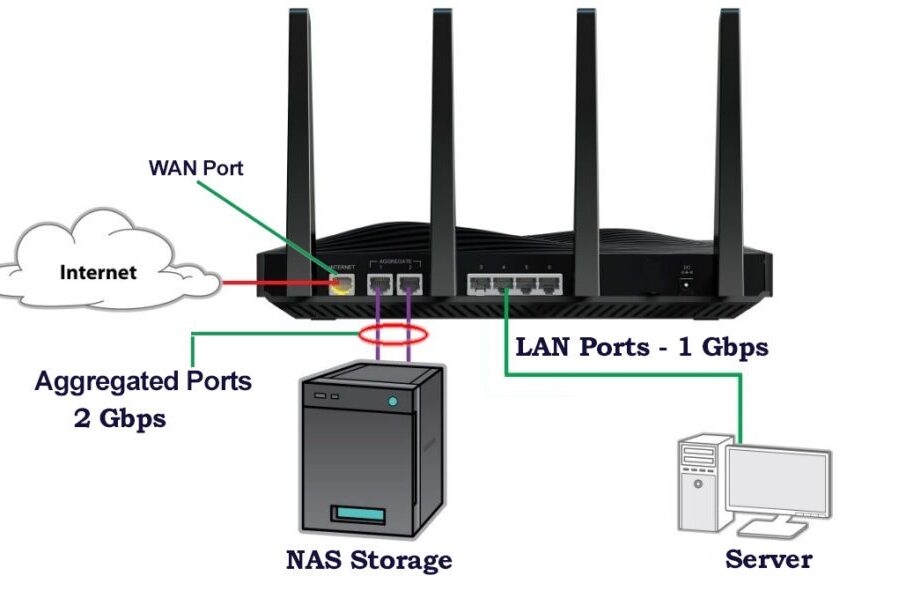
Reliable Wi-Fi is essential for productivity, collaboration, and smooth business operations. Slow or unstable wireless connections can derail meetings, hinder cloud-based work, and create frustration among employees. Enhancing Wi-Fi performance isn’t just about speed—it’s about creating a stable, scalable network that supports modern workplace demands.
Understanding the Causes of Poor Workplace Wi-Fi
Several factors contribute to weak or inconsistent wireless performance, including:
-
Overcrowded networks caused by too many connected devices.
-
Physical obstructions such as thick walls, metal structures, and furniture.
-
Interference from other electronic devices or neighboring networks.
-
Outdated hardware that cannot support high-bandwidth usage.
-
Suboptimal router placement reducing signal coverage.
Recognizing these issues allows organizations to take targeted action.
Evaluate Current Network Infrastructure
Conduct a Wi-Fi Audit
A network assessment helps identify dead zones, bandwidth bottlenecks, and coverage gaps. Tools like heat-mapping software visualize signal strength across the workspace, revealing where improvements are needed.
Check Hardware Capability
Older routers may not support modern Wi-Fi standards such as Wi-Fi 5 (802.11ac) or Wi-Fi 6 (802.11ax). Upgrading equipment ensures better throughput, security, and device-handling capacity.
Optimize Router Placement
Centralize the Router
Position routers or access points in a central, elevated location to maximize coverage and reduce obstructions.
Reduce Physical Barriers
Avoid placing equipment near:
-
Concrete or brick walls
-
Metal cabinets
-
Large appliances
-
Mirrored surfaces
Even small changes in height or orientation can improve signal propagation.
Increase Network Capacity
Add More Access Points (APs)
Installing multiple APs prevents overcrowded channels and ensures consistent connection quality across large office spaces.
Use a Mesh Wi-Fi System
Mesh networking distributes signal intelligently, improving coverage and reliability without complex cabling.
Segment Networks
Separate high-bandwidth activities (e.g., video conferencing, file transfers) from routine tasks by creating VLANs or dedicated SSIDs.
Reduce Interference
Change Wi-Fi Channels
Switching to less congested 2.4 GHz or 5 GHz channels minimizes interference from nearby networks.
Manage Competing Devices
Microwaves, cordless phones, Bluetooth devices, and other electronics can disrupt wireless signals. Keep them away from access points when possible.
Strengthen Security to Protect Performance
Unsecured networks attract unauthorized users, draining bandwidth. Implement:
-
Strong WPA3 encryption
-
Regular password updates
-
MAC filtering and access controls
-
Guest networks for visitors
Improved security prevents network overload and maintains speed for authorized users.
Upgrade to Modern Wi-Fi Standards
Newer standards offer major benefits:
-
Wi-Fi 5: Faster speeds and improved range
-
Wi-Fi 6: Supports more devices, better performance in crowded environments, enhanced energy efficiency
-
Wi-Fi 6E: Adds 6 GHz spectrum for ultra-low interference
Investing in upgraded routers and compatible devices ensures long-term performance gains.
Implement Quality of Service (QoS)
QoS settings allow prioritization of critical traffic such as:
-
Video meetings
-
VoIP calls
-
Cloud-based collaboration tools
This ensures essential business applications run smoothly even during peak usage.
Regular Maintenance and Monitoring
Continuous monitoring prevents issues before they affect productivity.
Key Practices
-
Install firmware updates promptly
-
Reboot routers periodically
-
Replace hardware nearing end-of-life
-
Use network monitoring tools to track usage and performance
Proactive maintenance ensures the Wi-Fi network remains stable and efficient.
Frequently Asked Questions (FAQ)
1. How often should workplace Wi-Fi equipment be upgraded?
Most businesses benefit from upgrading hardware every 4–6 years, depending on usage growth and technology advances.
2. What is the best Wi-Fi band for office environments?
The 5 GHz band generally provides higher speeds and less interference, while 2.4 GHz offers greater range.
3. Can too many devices slow down Wi-Fi?
Yes. Each connected device uses bandwidth, so high-density environments require robust routers or additional access points.
4. Are Wi-Fi extenders effective for office spaces?
They help small areas but may introduce latency. Mesh systems or multiple APs are better for larger workplaces.
5. Why is my Wi-Fi fast in some rooms but slow in others?
Signal strength varies due to obstructions, distance from the router, and interference from other electronics.
6. Should businesses use guest networks?
Yes. Guest networks protect core business systems while providing internet access to visitors.
7. Is Ethernet still better than Wi-Fi for workplaces?
For critical or high-bandwidth tasks, wired connections provide superior stability and speed.